
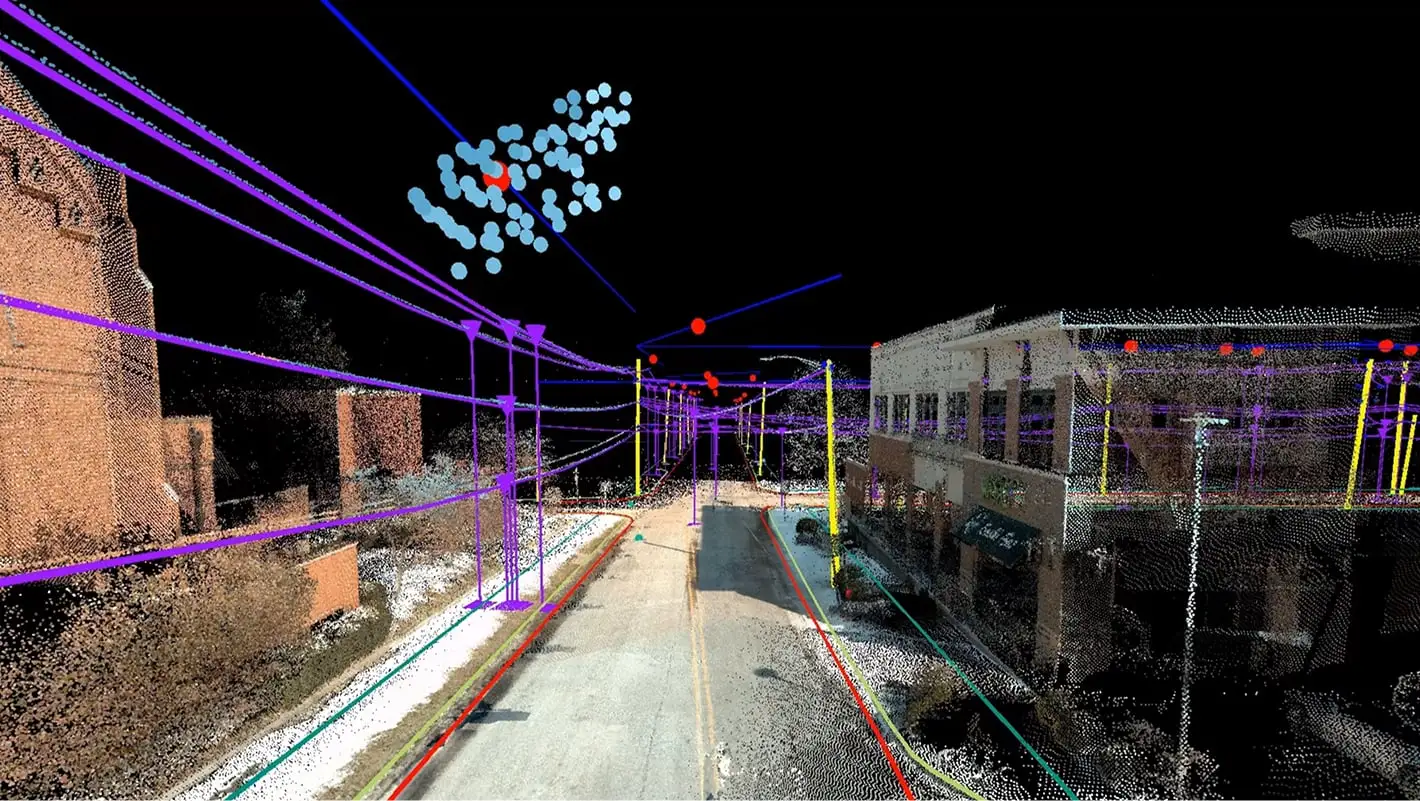
A large LiDAR extraction project is never a one-person job. A single corridor can involve project managers, in-house extraction analysts, QC auditors, subcontractors, and a client who wants to see progress without touching the data. Every one of those people needs to get into the project. Very few of them should be able to change everything in it.
In Asula Extract, we built access and assignments around one simple rule: people see what they need, and they change only what they are responsible for. Here is how that works, and why it matters for data security, for multi-team projects, and for keeping a project clean from the first hub to the final export.
Four access levels, set per project
Access in Asula Extract is granted project by project, not across the whole platform. A Project Manager adds members from the Access tab and gives each one a permission level. Someone can be a PM on one project and a Viewer on another.
| Access level | What they can do |
|---|---|
| Project Manager | Full control of the project: settings, data dictionary, hubs, assignments, members, and exports |
| Assignment Manager | Creates and manages assignments within the project, without full PM authority over its configuration |
| Analyst | Completes the extraction or audit work assigned to them |
| Viewer | Read-only. Can see the project data but cannot edit any assets |
Configuration screens such as the Dictionary, Hubs setup, and Access tabs are only visible to PM accounts. Analysts and Viewers never see the controls that could reshape a project, so there is no way to change them by accident.
Members can be added one at a time, or as a group. A group carries a single role to every person in it, which makes onboarding a ten-person crew a single step. Roles can be changed from the same screen without removing and re-adding the user, and anyone can be removed with one click when their part of the job is done.
Assignments: the right work, in the right place, for the right person
Access gets someone into a project. Assignments decide what they can actually work on once they are there.
Every assignment answers three questions:
- Who is doing the work (one or more analysts)
- Where they can work (one or more hubs, the geographic sections of the project)
- What they can touch (specific asset types from the project’s data dictionary)
An analyst assigned to extract signs in Hub 3 opens Hub 3 and gets the sign tools. They do not see Hub 7, and they do not get the tools for poles or lane markings. Some tools only appear when the assignment calls for them. Centerline editing, for example, is only visible to analysts assigned to extract centerlines.
Each assignment also has a type:
- Extract for capturing assets from the point cloud and imagery
- Defects for auditing a statistical sample of extracted assets for geometry, attribute, or parent errors
- Missing for reviewing the road segment by segment to flag assets that were never extracted
So the person checking the work is working in a different mode from the person who did it, with tools built for that job. In Missing mode, auditors cannot edit or delete assets in locations they have not visited. Every assignment shows its assignee, hub, status, asset types, asset count, and mode in one list, so a PM can see who has what at a glance. Assignments can be cloned, which makes rolling the same scope out to a new analyst a two-click job.
Data security starts inside your own organization
Most data security conversations focus on keeping outsiders out. Just as important is limiting what insiders can reach. Not everyone on your staff needs access to every client’s project, and not everyone on a project needs to edit it.
Asula Extract handles this in layers:
- Sign-in through Single Sign-On (SSO). Users log in with their organization’s credentials, so access follows your existing identity controls.
- Project-level membership. Being a user in Asula Extract does not open every project. Each project has its own member list, managed by its own PMs.
- Role-based permissions. A Viewer can review progress but cannot alter a single asset. Configuration stays with Project Managers.
- Assignment-scoped work. Analysts work only in the hubs and on the asset types assigned to them.
Because the data lives in one centralized, cloud-based dataset, there is no need to copy point clouds onto individual laptops or pass drives between offices. People reach the data through the browser, under the permissions you set, and the master copy stays in one place.
Many teams, one project, clear boundaries
Large projects often bring in more than one team. It might be two departments in your own company, a subcontractor handling overflow, or a client team that wants to review the work as it comes in. Without clear boundaries, that is where projects go sideways: overlapping edits, work done twice, or someone changing assets outside their scope.
Here is how a shared project might be set up in Asula Extract:
- Your PMs hold the Project Manager role and own the dictionary, hubs, and final exports.
- A partner team’s lead is added as an Assignment Manager, so they can hand out work to their own people without being able to change the project’s configuration.
- The partner’s analysts come in as a group with the Analyst role and are assigned only the hubs and asset types in their scope.
- Your internal QC team gets Defects and Missing audit assignments on the partner’s hubs.
- The client is added as a Viewer to follow progress without the risk of editing anything.
Each team works in its own lane, inside the same project and against the same data dictionary. When a partner’s part of the job wraps up, their access can be changed or removed in seconds, and the work they did stays in the project.
Organized by design
Scoped access is not only a security feature. It is what keeps a project organized as it grows.
- Expertise matches the work. A sign specialist gets the sign tools. A utility pole expert gets poles and spans. People change the things they know best, and nothing else.
- No stepping on each other. Because hubs and asset types are divided through assignments, two analysts are not editing the same features in the same place.
- One standard for everyone. Every team works against the same project data dictionary, so outputs come back in one consistent schema no matter who extracted them.
- Visibility for the PM. The General tab shows asset counts, assignment progress, team membership, and time tracking, and the Assignments list shows who owns which hub and asset type.
- Checks built in. Defects and Missing audits are assigned the same way as extraction, so quality review is part of the plan rather than an afterthought.
The bottom line
We built Asula Extract from years of running extraction projects ourselves, including projects where many hands touched the same data. Access levels and assignments are how we keep those projects secure, organized, and accountable, whether the team is five analysts in one office or several organizations working on the same corridor.
Want to see how access and assignments would work on your next project? [Contact us] to set up a walkthrough of Asula Extract.